Invoices from every supplier, keyed for you.
Vendor, dates, totals and line items read from any layout. Totals are checked against the lines before anything reaches your ERP import.
- vendor
- invoice_number
- invoice_date
- po_number
- total
- line_items
Absolute Arc reads your invoices, claims and forms with AI, sends only the doubtful fields to your team, and delivers checked data to your systems. Your team sets it up in the browser, not a consultant.
Free trial · Published prices · Hosted for you
Ready-made document classes get you running on day one. Add your own fields when you need them.
Vendor, dates, totals and line items read from any layout. Totals are checked against the lines before anything reaches your ERP import.
Told apart from invoices in a mixed pile, with the original invoice number and the credited amount read out.
Member, provider, dates of service and billed amounts, with unsure dates and IDs boxed on the page for your examiners.
Requests arrive by fax and email in every shape. We read the member, the service and the urgency so reviewers start with the facts.
It moves on its own. People step in only where the AI isn’t sure, and you decide which checks your documents need.
From a mailbox, a folder or an upload. Office files, emails and scans become clean pages.
AI splits a mixed pile into documents and recognizes each one: invoice, credit memo, claim.
The fields you need are read off each page, with how sure the AI is of every one.
If the AI is sure of every field, the batch goes straight on. If it’s unsure of any, a person checks it first:
An operator fixes only the boxed fields.
Someone else confirms them.
Checked data and PDFs go to your systems, with a record of where each one went.
Something wrong? When a batch can’t continue or a document needs attention, everything is brought into one Exceptions screen. Quickly resolve the issue, resume processing, move documents to a new batch, or retry an export. Nothing gets lost along the way.
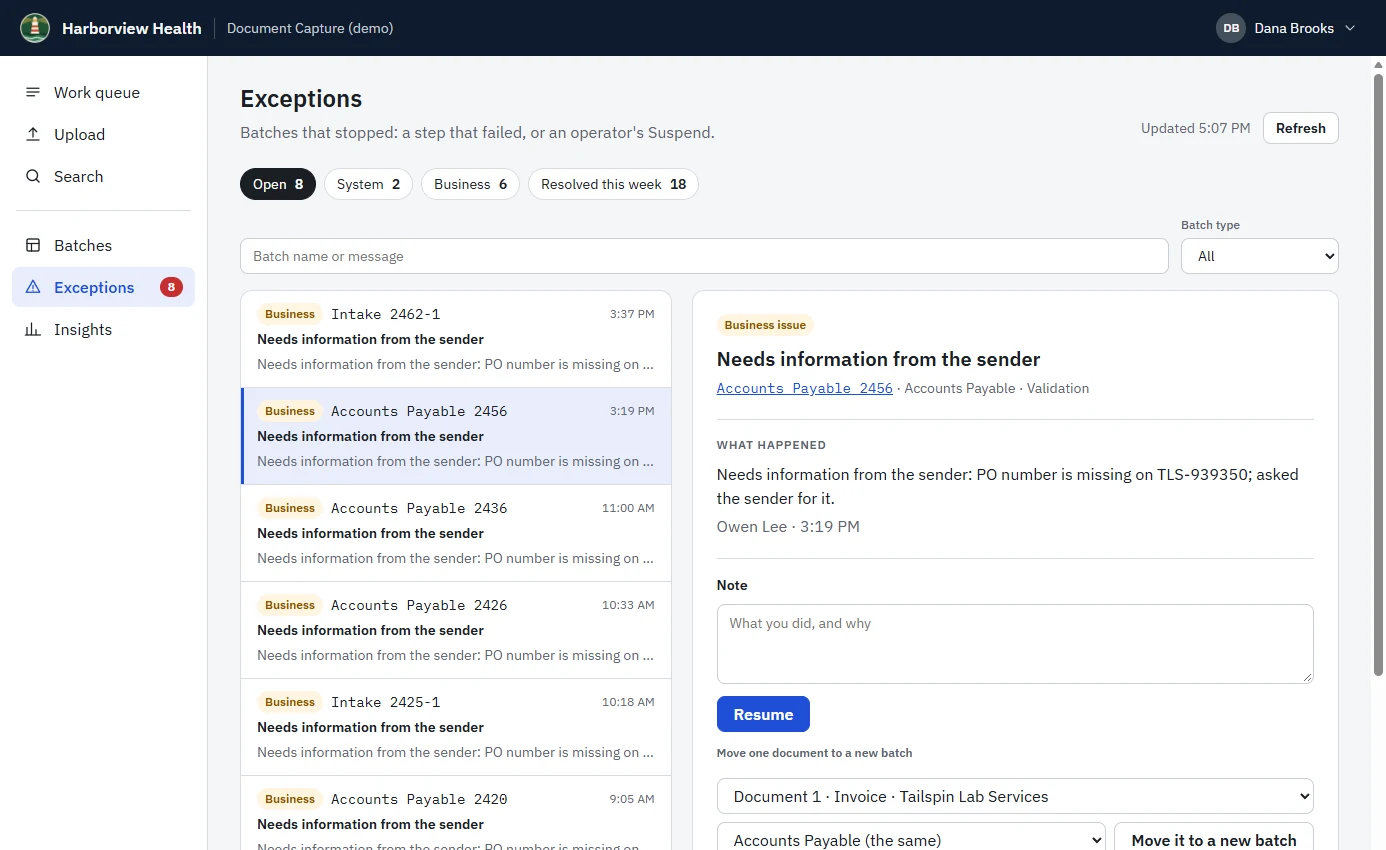
Each kind of document gets its own sources and destinations. Set them up in the browser, test them with one click, and manage them independently without disrupting the rest of your workflow.
Every document, whatever it came in as, leaves as checked data and a clean PDF.
Plans shown are provisional while pricing is finalized.
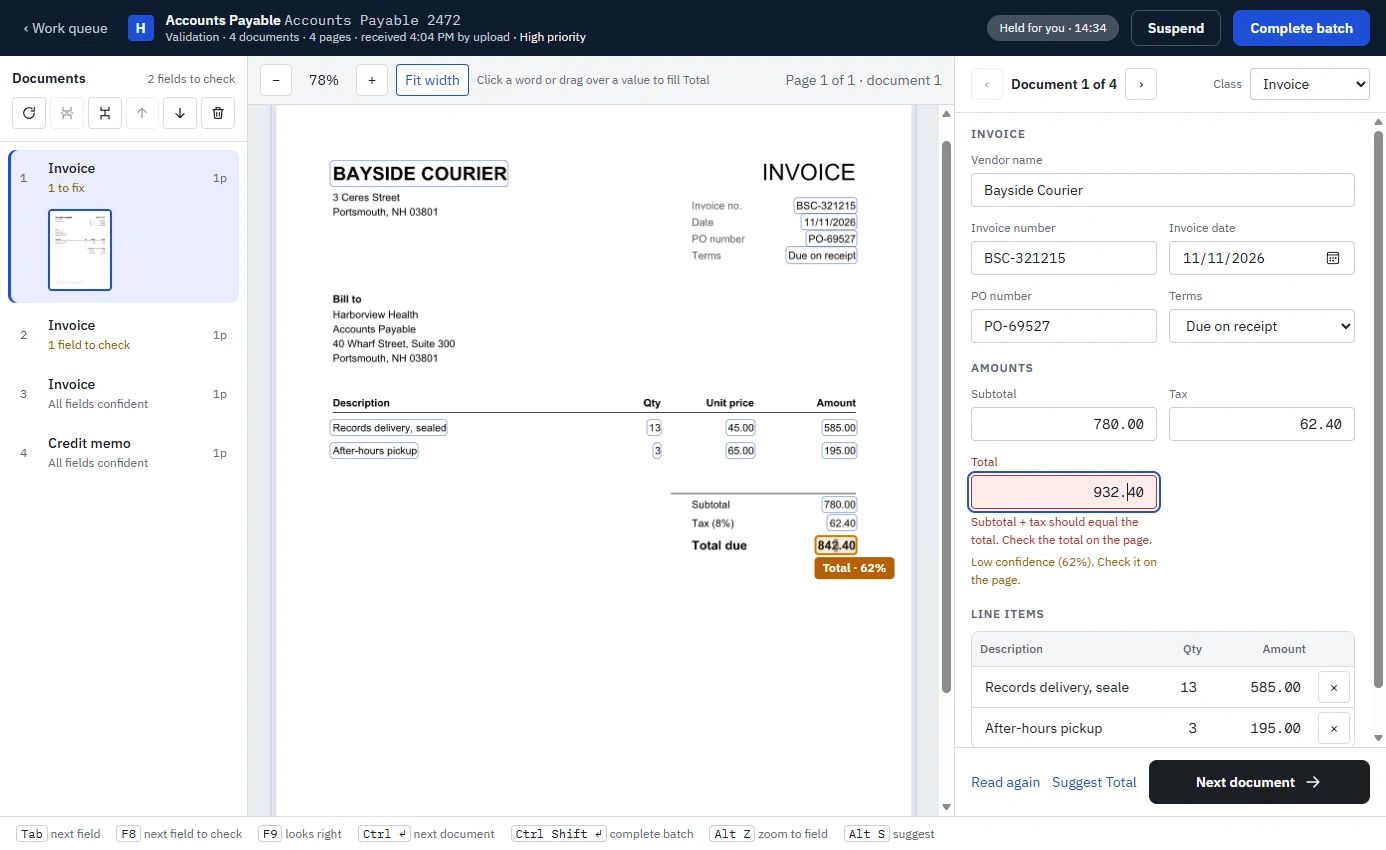
Insights are built in from day one, for every customer. No reports to set up and no other tool to buy: they start counting with your first batch.
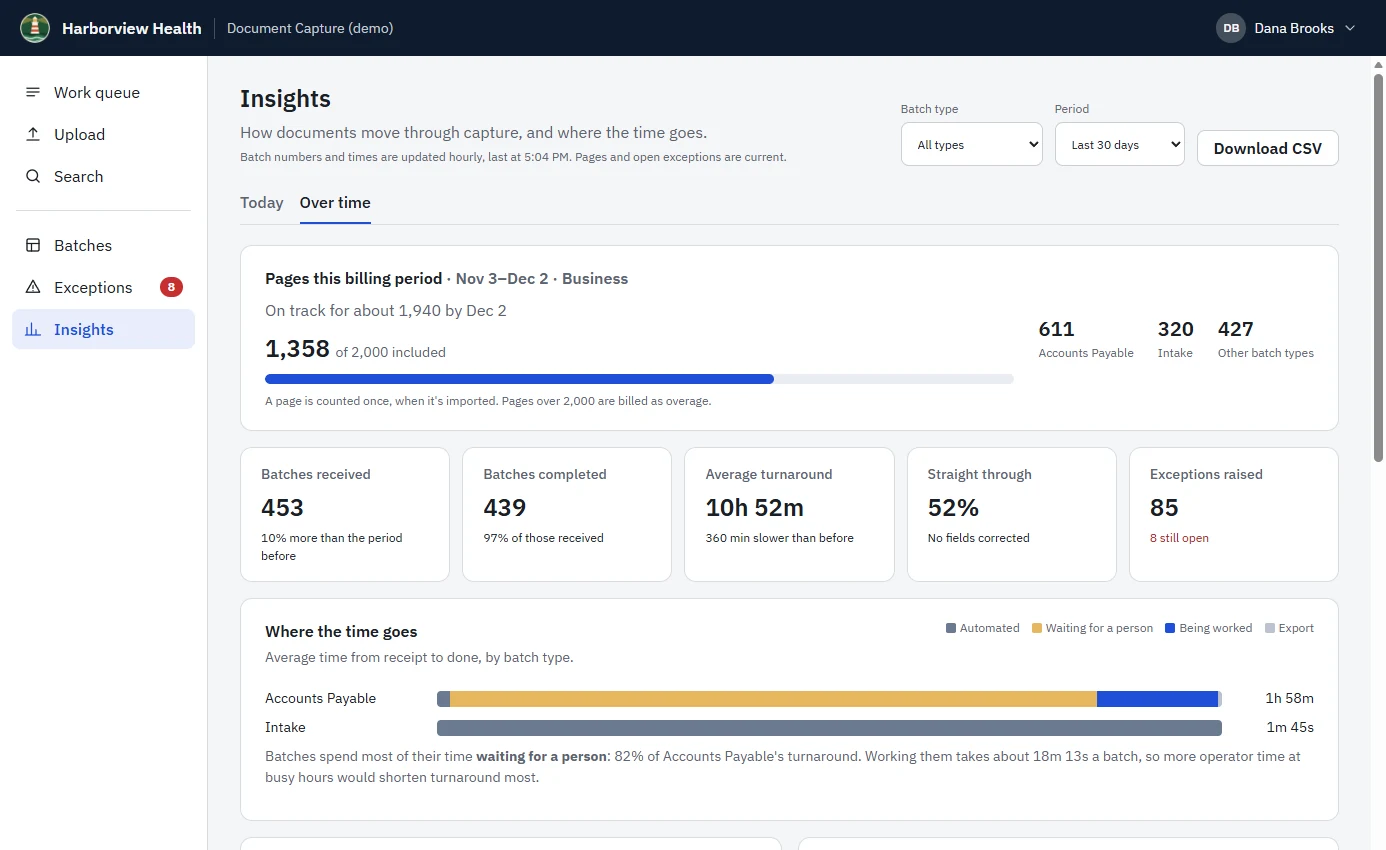
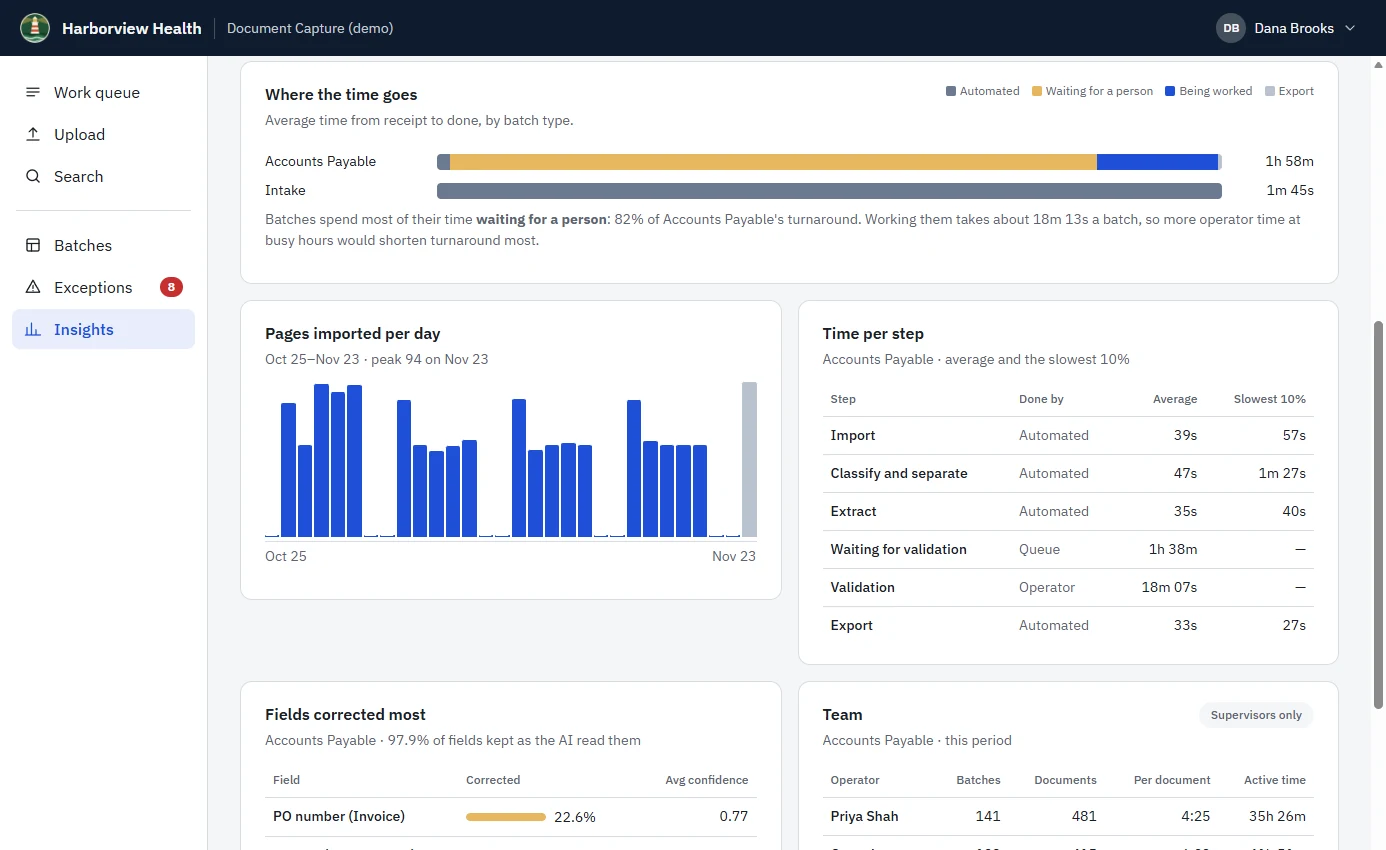
Batches received and completed, what’s processing, waiting for a person or in Exceptions, the oldest wait and what’s overdue.
Turnaround from arrival to export, split into automated steps, waiting for people and being worked, with the time for every step.
The straight-through rate, the fields kept as read, and the fields your team corrects most, so you know what to improve.
Pages against your plan, AI usage by document type, and export to CSV when you need deeper reporting.
Supervisors can view processing activity across their teams with Business and Enterprise plans.
Absolute Arc runs in our cloud, so your team works on documents, not on servers.
No servers, no upgrades, no maintenance windows. Sign in from a browser and start.
Improvements arrive for everyone at once. Batches already in progress keep the setup they started with.
Your company’s documents and data are kept apart from every other customer’s, by design.
The AI pages are part of your plan. Or connect your own Azure AI account and pay Microsoft directly, for a lower platform fee.
Strict data-residency or security requirements? On Enterprise, we can keep an AI service for you alone in your region, or run a private installation in your own Azure. Talk to us →
The same protections on every plan.
Your data never shares a database with another company's.
Connections use managed identities, and any secret is kept in a vault, never in settings.
Your own password rules, lockout and session limits. Single sign-on on Enterprise.
Sign-ins, configuration changes and deletions are recorded and can't be edited.
Keep documents as long as you need, then they're purged on schedule, with legal hold.
Our staff can only sign in when you allow it, and every action is logged.
Everything the big capture suites do for everyday documents, without the consultants.
| Topic | Absolute Arc | Traditional capture suites |
|---|---|---|
| Setting up | Your administrator, in the browser, starting from ready-made document classes | A desktop designer and, usually, consultants |
| Pricing | Published, by pages. No per-seat fees. | Quoted, often with server and seat licenses |
| Changes | Edit a draft, publish a new version. Batches in progress keep the version they started with. | Change windows and redeployment |
| Where it runs | Hosted for you: nothing to install, patch or upgrade | Usually on your own servers, which you maintain |
Every plan includes the AI, your whole team and the same security.
Sample figures. Prices are not decided yet.
Self-service sign-up is coming. Until then, tell us about your documents and we'll set up a trial workspace for you, with invoices, claims and forms ready to try.